


Rivian
3.1330.00 Reviews
App Specs
- Version
- 3.15.0
- Updated On
- License
- Free
- Downloads
- 50,000+
- Developer
- Rivian, LLC.
- Categories
- Auto & Vehicles
- Platform
- Android
Screenshots
 Analysis by AppCompare
A connected vehicle app can feel effortless when everything responds at once, but the experience changes when your phone has a weak signal, your car is parked somewhere unfamiliar, or you simply need a quick answer rather than another screen to manage. That is the lens I’d use for the Rivian app: not just as a companion to an electric vehicle, but as a phone-based way to check in and carry out vehicle-related tasks. It is a free Auto & Vehicles app from Rivian, LLC., and its usefulness is naturally greatest for people who own or regularly use a Rivian.
That close connection is also the main trade-off. If a Rivian is part of your daily routine, having vehicle information and controls gathered in one place can be genuinely convenient. If you are browsing for a general EV tool, planning a purchase, or driving another make, it is unlikely to replace the broader navigation and charging apps you already rely on. I would think of it as a vehicle-specific companion rather than an all-purpose electric-car dashboard.
When the connection matters most
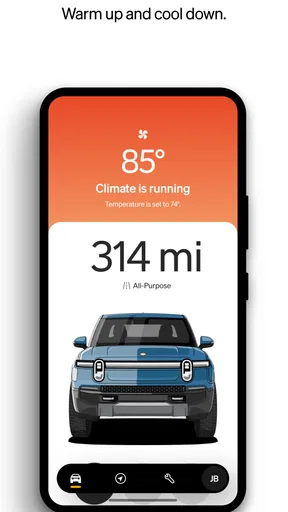
Remote access is most valuable when it saves a trip back to the vehicle or lets you prepare before heading out. A useful everyday example is arriving at a destination, walking away, and then wanting to confirm that the vehicle is locked. Checking from the phone can be more reassuring than turning around and going back to look. Climate controls can also make a difference when the weather is uncomfortable, though the convenience depends on being able to reach the vehicle through the app.
That dependence is worth keeping in mind. A remote command is not the same as a physical button: it has to travel through a connected system, and a delayed response can be confusing if you are standing outside waiting for a door or climate change. I would treat the app as a convenient way to send a request and check status, not as the only way to handle an immediate, time-sensitive need. When a command matters right now, I’d allow a moment to confirm the result rather than assuming that tapping the control means the vehicle has already acted.
Useful in a real mobile routine
The app makes the most sense in the small gaps around driving: before leaving home, while you are away from the vehicle, and when you are preparing a longer journey. Checking vehicle status from indoors can help you decide whether you need to take action before setting off. On a road trip, trip planning and charging information are more useful when reviewed before departure, while the driver is safely parked, rather than managed on the move.
For navigation, I’d use the phone as a planning companion and the vehicle’s own interface as the place to follow the route while driving. Moving between them can be handy, but it is still worth checking that the destination and route have carried over as intended before setting off. If you are travelling with someone else, a passenger can handle any phone-side adjustments; that keeps the driver focused and avoids turning a connected feature into a distraction.
It also helps to separate the app’s role from that of a general mapping service. A familiar maps app may be the better choice for browsing places, comparing routes, or getting directions for a non-Rivian journey. The Rivian app’s appeal is the link to the vehicle and its trip context, not the promise that one app will replace every navigation habit. I would use each tool for what it does best instead of forcing all travel planning into a single screen.
Worth Reading Before You Choose

EA SPORTS FC Mobile 26 Is a Bigger Football Game, but It Takes Time

Flipboard Shows What News Apps Must Do Beyond the Feed

Switching to Android Auto Means Rethinking Your Driving Routine

Google Calendar Makes a Crowded Week Easier to Manage

Ludo King Makes the Most of the Minutes Between Plans

Baby Panda World Brings Quick Play to Modern Phones, but Its Game Library Feels Busy
What to do when something feels stuck
Connected features can introduce uncertainty when a screen seems stale or a command does not appear to work. My first move would be to check whether the phone has a usable connection, then reopen the relevant vehicle status or control and give it time to refresh. If the result remains unclear, I would avoid repeatedly sending the same command; first confirm the vehicle’s state through another safe, available method. That is a sensible habit with any remote vehicle control, especially when locking or climate settings are involved.
Notifications can help draw attention to vehicle activity, but they are not a substitute for checking the app when you need a current answer. Phone notification settings, connectivity, and account access all affect how convenient alerts feel in practice. If an alert is important to you, make sure the app is allowed to notify you and that you can still sign in when needed. For account protection, the app supports two-factor authentication; I’d keep it enabled and make sure the sign-in method is accessible when changing phones.
When deciding whether this is the right fit, the clearest question is whether you have a Rivian to connect. The app is aimed at that ownership relationship, so someone without access to a Rivian should not expect it to function as a general EV planner or a useful remote-control tool. For an owner, by contrast, it can centralize vehicle checks and remote interaction in a way that a generic maps app cannot. The store’s average rating is 3.4 from around 690 ratings, a mixed signal rather than a reason on its own to dismiss the app; personal value will depend heavily on how often its vehicle-specific functions fit your routine.
Rivian is listed for Everyone and has more than 50,000 installs. It was released on September 17, 2021, and version 3.12.1 is the current version. Those details give a little context, but the practical question remains whether the app’s connected functions match your needs. I would install it as part of using a Rivian, while keeping a separate navigation option available for situations where vehicle-linked planning is not the priority.
Getting Started
First things first, downloading the Rivian app is a breeze. Available on both Android and iOS, you can easily find it in the respective app stores. Once installed, the user interface welcomes you with a sleek, minimalist design that mirrors the aesthetic of Rivian vehicles themselves. The app feels intuitive right off the bat, capturing the essence of simplicity and elegance.
Setting up the app is straightforward. After a quick sign-up process, you’re prompted to link your Rivian vehicle. This is where the magic happens. With just a few taps, your smartphone becomes an extension of your car, giving you access to a plethora of features.
Remote Control Features
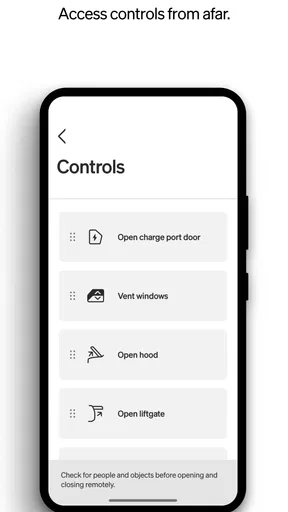
One of the standout features of this app is the remote control functionality. Imagine starting your car, adjusting the climate, or even locking/unlocking doors from anywhere in the world. It feels like living in a sci-fi movie! These features are especially handy during extreme weather conditions. Picture this: it’s a frosty morning, and you can warm up your car without stepping outside. Pure bliss.
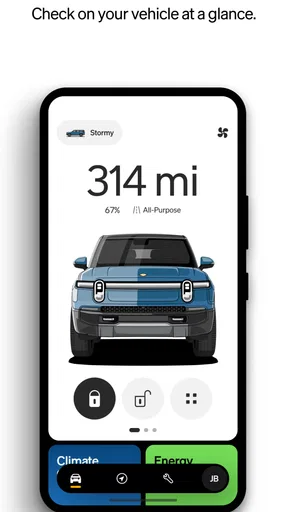
The app also lets you check your vehicle's status at a glance. Battery levels, tire pressure, and even the location of your car are just a tap away. It's like having a dashboard on your phone, keeping you informed no matter where you are.
Navigation and Trip Planning
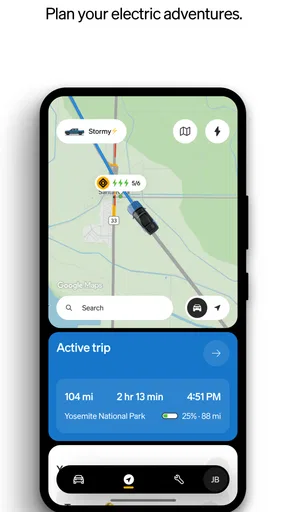
Planning a road trip? The app’s navigation and trip planning features have got you covered. You can easily map out your journey, find charging stations along the way, and even estimate your arrival time. This is super helpful for those long drives when you need to ensure your vehicle remains charged and ready to go.
The integration with Google Maps makes it seamless, providing real-time traffic updates and rerouting options. Plus, the app syncs effortlessly with your vehicle’s onboard navigation system, making transitions between your phone and car smooth and stress-free.
Security and Updates
When it comes to security, the Rivian app doesn’t skimp. With features like real-time alerts and notifications, you’ll know instantly if anything seems amiss with your vehicle. The app also supports two-factor authentication, adding an extra layer of protection to your account.
Another nifty feature is the over-the-air updates. Just like your smartphone, your Rivian vehicle receives software updates via the app. This means your car is always running the latest software without needing a trip to the service center. It's like having a tech-savvy friend who keeps your ride in tip-top shape.
Community and Support
One of the most delightful aspects of the app is the sense of community it promotes. Through the app, you can connect with other Rivian owners, share tips, and even organize meetups. It’s a great way to feel part of something bigger, sharing the joys and challenges of owning a Rivian.
If you ever hit a snag, the app’s support section is robust and responsive. You can chat with support agents directly or browse through a comprehensive FAQ section. It’s reassuring to know help is just a message away.
A sensible way to use it day to day
For a routine commute, I would check the vehicle before leaving, use the phone for any preparation that is easier to do indoors, and then put it away once driving begins. That simple sequence takes advantage of remote access without making the phone the center of the trip. For a longer drive, I would do the planning while parked, confirm the route and charging stops before departure, and leave route changes to a passenger or a safe stop.
There is a useful distinction between checking a status and acting on it. A glance at battery information may help with deciding whether a trip needs more preparation; a location check may help when you have forgotten exactly where you parked. Remote climate or lock controls, however, should be followed by a quick confirmation that the desired change took effect. That small pause is more practical than assuming connectivity is instantaneous.
For people comparing this with other automotive apps, the biggest difference is focus. A general-purpose driving or mapping app can be useful across vehicles and often serves better for discovering destinations. A manufacturer-linked app is more valuable for vehicle-specific status and controls. I would not choose between them as if only one can exist on a phone: for a Rivian owner, the companion app and a familiar navigation option can fill different jobs.
Keeping expectations grounded
There is also a learning curve in knowing which tasks belong in the app and which are better handled in the vehicle. If you only open it occasionally, you may need a moment to remember where a control or status item is located. I’d take a few minutes while parked to get familiar with the screens you expect to use, rather than trying to learn them in a cold driveway or at the start of a trip. This is a small preparation step that can make remote functions feel much less fiddly when you actually need them.
People who are especially careful about mobile data may prefer to use connected functions deliberately rather than keeping the app open without a reason. Checking what you need and closing it again is a straightforward habit. I would also avoid making assumptions about what an alert means until I have opened the relevant vehicle status; notifications are useful prompts, while the app is where I would look for context before deciding what to do.
The app is a stronger fit for owners who value remote convenience, vehicle checks, and trip preparation in one vehicle-specific place. It is less compelling for someone who mainly wants offline maps, broad EV comparisons, or a single tool for several makes of car. In those cases, a general navigation app or a cross-brand EV resource is likely to be a better everyday starting point. That is not a knock on the Rivian app; it reflects how closely its value is tied to the vehicle it accompanies.
Connectivity verdict
Connectivity is both the source of the app’s appeal and the point that deserves the most realistic expectations. When the phone, account, and vehicle are communicating smoothly, remote checks and controls can remove small hassles from ownership. When a connection is slow or a status has not refreshed, the phone can be less certain than looking at the vehicle directly. I’d use it as a helpful extension of the driving experience, not as a replacement for common sense or a physical check when certainty matters.
In conclusion, the Rivian app is more than just a tool; it’s a companion for your electric adventure. Whether you’re a tech enthusiast or just someone who loves convenience, this app is designed to enhance your driving experience. So, if you’re lucky enough to own a Rivian, downloading this app is a no-brainer. It’s like having your cake and eating it too, with a cherry on top!
Pros
- User-friendly interface with intuitive navigation.
- Efficient energy management for extended range.
- Comprehensive charging network support.
- Regular software updates enhance performance.
- Seamless integration with smart home devices.
Cons
- Limited availability in certain countries.
- High initial purchase cost.
- App occasionally freezes on older devices.
- Requires stable internet for full functionality.
- Customer service response time can vary.
FAQs for Rivian
What is Rivian and what does it offer?
Rivian is an app designed to enhance the ownership experience of Rivian electric vehicles. It offers features such as remote vehicle monitoring, charging management, route planning, and software updates. The app aims to provide a seamless interaction between the driver and their vehicle, ensuring a user-friendly and intuitive experience.
Is the Rivian app compatible with all devices?
The Rivian app is compatible with both Android and iOS devices. However, users should ensure that their operating system meets the minimum requirements specified by the app to ensure smooth functionality. Regular updates are provided to support the latest OS versions and improve performance.
How does the Rivian app enhance vehicle management?
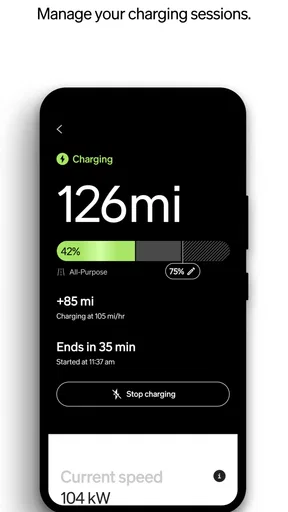
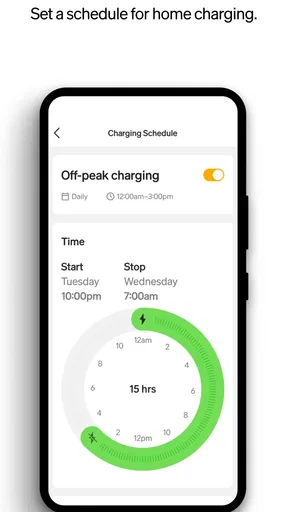
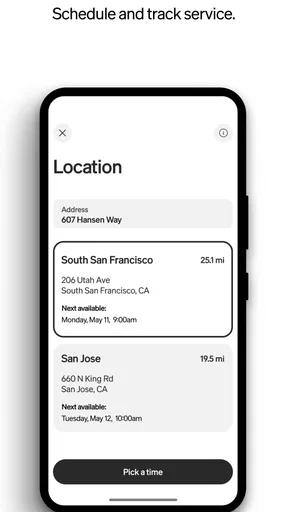
The Rivian app offers various features to enhance vehicle management, including real-time vehicle status updates, charging location services, and route optimization. Users can also schedule maintenance, receive alerts for necessary repairs, and access detailed vehicle health reports, making it easy to keep their vehicle in optimal condition.
Are there any security concerns with using the Rivian app?
Rivian prioritizes user security, implementing robust encryption and authentication measures to protect user data. The app requires secure login credentials and offers features like biometric authentication for added security. Users should ensure they download updates promptly to benefit from the latest security enhancements.
Can I control my Rivian vehicle remotely using the app?
Yes, the Rivian app allows users to control various aspects of their vehicle remotely. This includes locking/unlocking doors, starting the vehicle, adjusting climate controls, and monitoring charging status. These remote features provide convenience and flexibility, especially in varying weather conditions or when the vehicle is parked at a distance.


